
Agno's CSVReader.async_read() splits large files into pages of 1,000 rows, and with RowChunking(skip_header=True) it now skips only the file's first row. The reader used to treat the first row of each page as a header and skip it, so every page after the first lost a data row. A file with 1,002 records returned 1,002 rows from read() and 1,001 from async_read().
from agno.knowledge.chunking.row import RowChunking
from agno.knowledge.reader.csv_reader import CSVReader

reader = CSVReader(chunking_strategy=RowChunking(skip_header=True))
documents = await reader.async_read("orders.csv")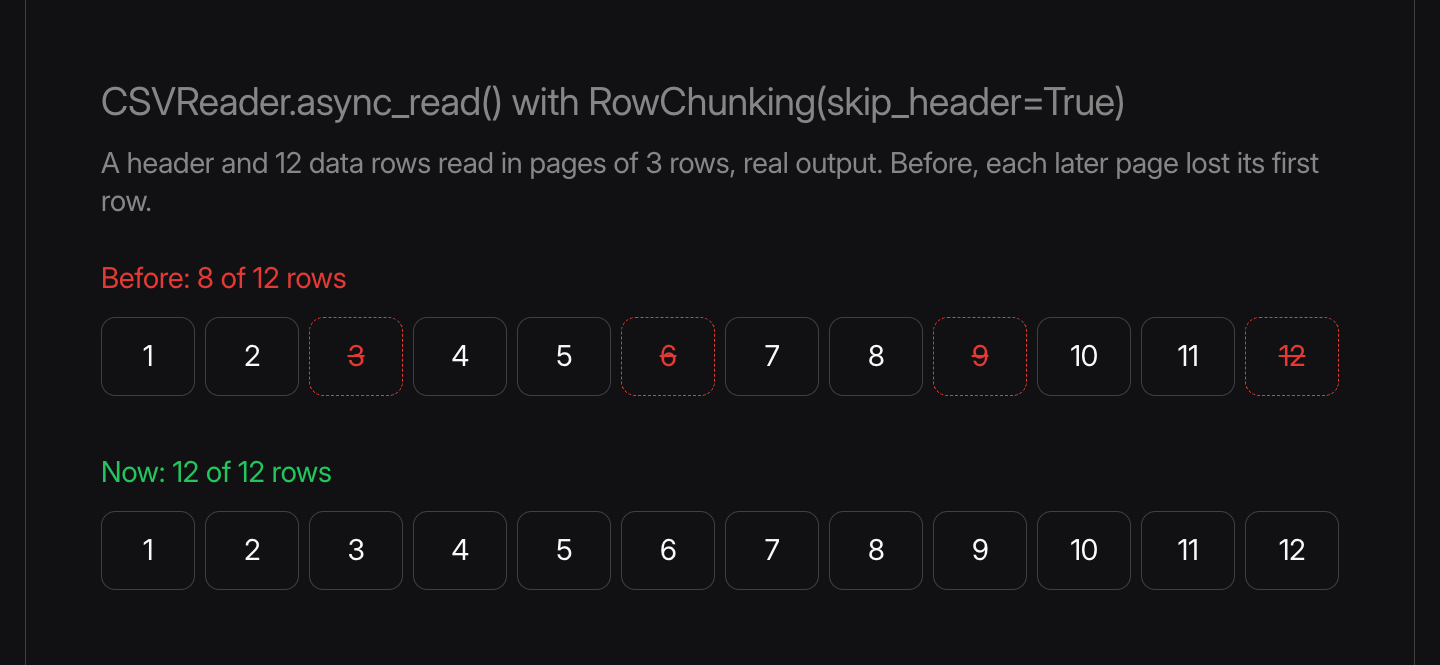
Row numbers now stay continuous across pages. Files small enough to read as one document weren't affected.
See the cookbook, and learn more about CSV row chunking and the CSV reader in the documentation.
Frequently asked questions
CSVReader.async_read() splits large files into pages of 1,000 rows. With RowChunking(skip_header=True), it skipped the first row of every page as a header. async_read() now skips only the file's first row.
Files large enough for CSVReader.async_read() to split into pages, read with RowChunking(skip_header=True). A file small enough to read as one document never hit the bug.
Shipped around the same time
September 16, 2026
Changelog
v3.0.10Reader fixes for PowerPoint, JSON and sitemaps


Yash Raj Pandey, Kyousuk1e, and 4 others
1 min read
September 16, 2026
Changelog
v3.0.10Tools and parallel steps keep results like 0 and False


哈基米, GuanZhuo, and 2 others
1 min read
September 16, 2026
Changelog
v3.0.10DynamoDB now saves records with booleans


Tai An, Kaustubh Shukla
1 min read