
Agno's MCPConfig now handles routing you used to write middleware for. To put your AgentOS tool server at mcp.example.com, your middleware had to map / and /server-card onto the native /mcp routes. Now you set three parameters:
agent_os = AgentOS(
    agents=[agent],
    mcp=MCPConfig(
        tools=[search_docs],
        default_tools=False,
        stateless=True,
        root_host="mcp.example.com",
        path="/docs-mcp",
        path_aliases=["/mcp"],
    ),
)root_hostserves/and/server-cardon that exact hostname, so clients can connect tohttps://mcp.example.com.pathmoves the MCP endpoint off the default/mcp.path_aliaseskeeps older URLs and links you've already shared working.
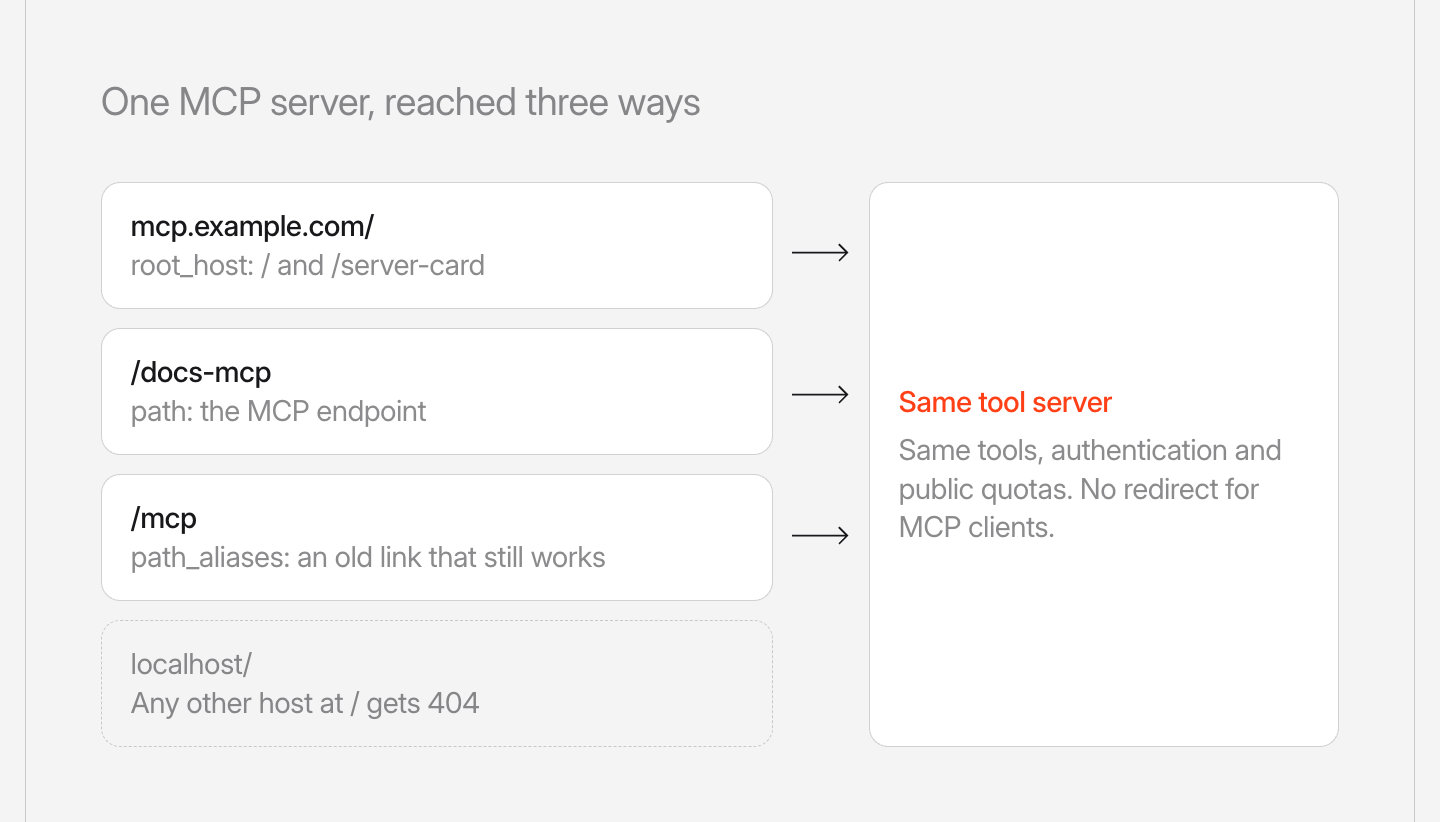
Every AgentOS MCP route reaches the same tool server with the same authentication and public quotas. MCP clients connect without a redirect. When a browser opens the endpoint, AgentOS redirects it to the server card. AgentOS routes the request before authentication, and a server_card_url you set still takes precedence.
AgentOS checks these MCPConfig values at startup and fails on invalid ones. Paths must be absolute and can't be /. root_host must be a bare hostname with no scheme, port or wildcard.
AgentOS now pretty-prints the MCP server card with two-space indentation, so it reads cleanly in a browser. This is the card that AgentOS serves at mcp.example.com/server-card:
{
  "name": "com.example.mcp/agentos",
  "title": "AgentOS",
  "description": "AgentOS MCP server",
  "remotes": [
    {
      "type": "streamable-http",
      "url": "https://mcp.example.com/"
    }
  ],
  "tools": [
    {
      "name": "search_docs",
      "description": "Search the docs.",
      ...
See the cookbook, and learn more about MCPConfig and discovery in the documentation.
Frequently asked questions
Set root_host on MCPConfig, for example root_host="mcp.example.com". MCP clients can then connect to https://mcp.example.com, because AgentOS answers / and /server-card on that exact hostname.
Set path on MCPConfig to the new endpoint, such as /docs-mcp, and list the old URLs in path_aliases. All of those routes lead to one tool server, with the same authentication and public quotas.
AgentOS checks the values at startup. Paths must be absolute and can't be /, and root_host must be a bare hostname with no scheme, port or wildcard.
Shipped around the same time
September 16, 2026
Changelog
v3.0.10Public MCP with JWT authorization now checks the host


Ashpreet Bedi, Sannya Singal
1 min read
September 16, 2026
Changelog
v3.0.10Slack now answers messages whose first delivery was lost


Himanshu Singh, Ray, and 2 others
1 min read
September 16, 2026
Changelog
v3.0.10MCP tools now return audio

Devansh Bhargava, Sannya Singal
1 min read