
With Agno's PageFileSystem toolkit, an agent works through your published pages with ls, tree, find, cat, head, tail, wc, rg and grep, the way an engineer works through a repo.
A user asks your docs agent about page_store. Vector search returns a chunk that sounds close, and the agent answers from that chunk. An engineer would have grepped for the exact name and opened the page it lives on. With PageFileSystem, the agent can do the same.
from agno.agent import Agent
from agno.knowledge.page import PageFileSystem

page_files = PageFileSystem(knowledge=knowledge)
agent = Agent(tools=[page_files.tools()])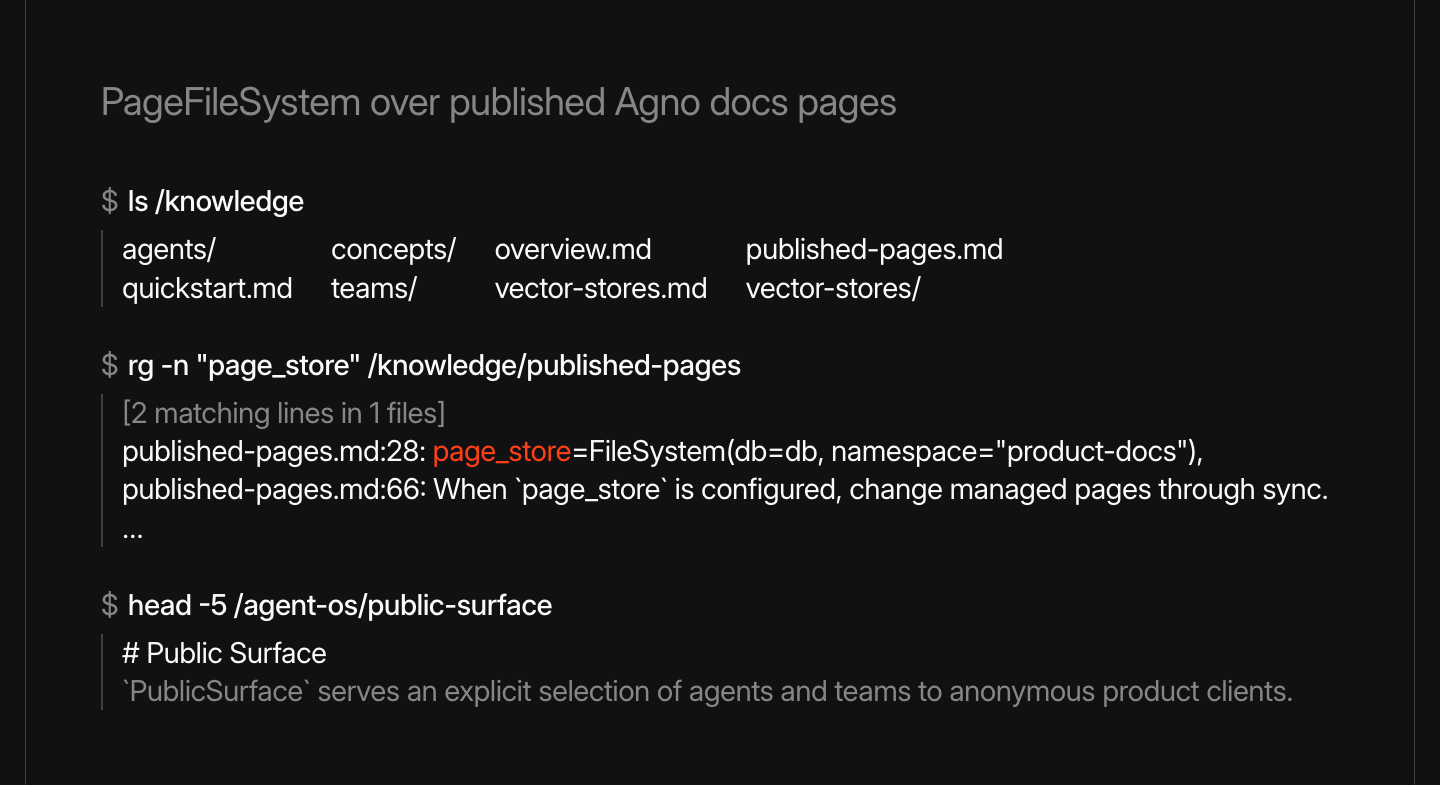
Vector search still finds the right page, and the agent then reads all of it.
What can't the agent do?
PageFileSystem can't run a shell, expand shell expressions or write files. Reads use pinned page revisions, listings return scoped metadata, and grep is a bounded literal scan. Output stops at 30,000 characters with a continuation notice, and Agno caps regex time, command time and read volume.
The toolkit works in sync and async runs, and you can rename the tool with tools(tool_name=...).
See the cookbook, and learn more about published pages in the documentation.
Frequently asked questions
Create PageFileSystem(knowledge=knowledge) from agno.knowledge.page and pass page_files.tools() to the Agent. The agent can then run ls, tree, find, cat, head, tail, wc, rg and grep over your published pages.
No. The toolkit has no shell, doesn't expand shell expressions and never writes files. Reads use pinned page revisions, and grep is a bounded literal scan.
Agno stops output at 30,000 characters and adds a continuation notice. Regex time, command time and read volume are also capped.
Vector search finds the right page, but it can miss exact identifiers. PageFileSystem lets the agent read the whole page and rg for a literal name. See the cookbook.
Shipped around the same time
September 8, 2026
Changelog
v3.0.7Dependency callables can now read the run input and session

Ashpreet Bedi
1 min read
September 8, 2026
Changelog
v3.0.7Tune page search per knowledge base with PageSearchConfig
Ashpreet Bedi
1 min read
September 8, 2026
Changelog
v3.0.7AIMLAPI requests now carry attribution headers


Hugo, Ray, and 1 other
1 min read