
In Agno, Agent(filesystem=True) hands the model seven file tools (read_file, write_file, append_file, replace_lines, list_files, search_content and move_file) backed by an agno_fs table in the agent's own database. The agent writes decisions, running notes and working state there, and finds them again in a later session or run.
from os import getenv

from agno.agent import Agent
from agno.db.postgres import PostgresDb
from agno.models.openai import OpenAIResponses
from agno.os import AgentOS, Authorization

db = PostgresDb(db_url="postgresql+psycopg://ai:ai@localhost:5532/ai")
JWT_SECRET = getenv("JWT_VERIFICATION_KEY")

assistant = Agent(
    id="assistant",
    model=OpenAIResponses(id="gpt-5.5"),
    db=db,
    filesystem=True,
    instructions="Keep durable working notes in your filesystem.",
)

agent_os = AgentOS(
    id="files-os",
    db=db,
    agents=[assistant],
    authorization=Authorization(
        verification_keys=[JWT_SECRET],
        algorithm="HS256",
        audience="files-os",
        verify_audience=True,
    ),
    user_isolation=True,
)
app = agent_os.get_app()With filesystem=True, AgentOS names the store after the agent. To pick the namespace, the limits or a read-only tool set, pass a FileSystem(db, namespace=..., read_only=True) object. A list of them gives one agent several stores.
One partition per user
Every file is keyed by (namespace, user_id, path). With JWT authorization and user_isolation=True, each user-scoped filesystem reads and writes only its verified user's files. We wrote the same path for two users on SQLite and then read it back without a user.
from agno.db.sqlite import SqliteDb
from agno.fs import FileSystem

fs = FileSystem(SqliteDb(db_file="agent.db"), namespace="assistant", user_scoped=True)
ana, ben = fs.resolve(user_id="ana"), fs.resolve(user_id="ben")

ana.write("notes/preferences.md", "Ana prefers short answers.\n")
ben.write("notes/preferences.md", "Ben wants code samples.\n")

ana.read("notes/preferences.md")  # 'Ana prefers short answers.\n'
ben.read("notes/preferences.md")  # 'Ben wants code samples.\n'
fs.read("notes/preferences.md")
# InvalidPathError: this filesystem is partitioned by user and no user is bound;
# resolve it with a user_id first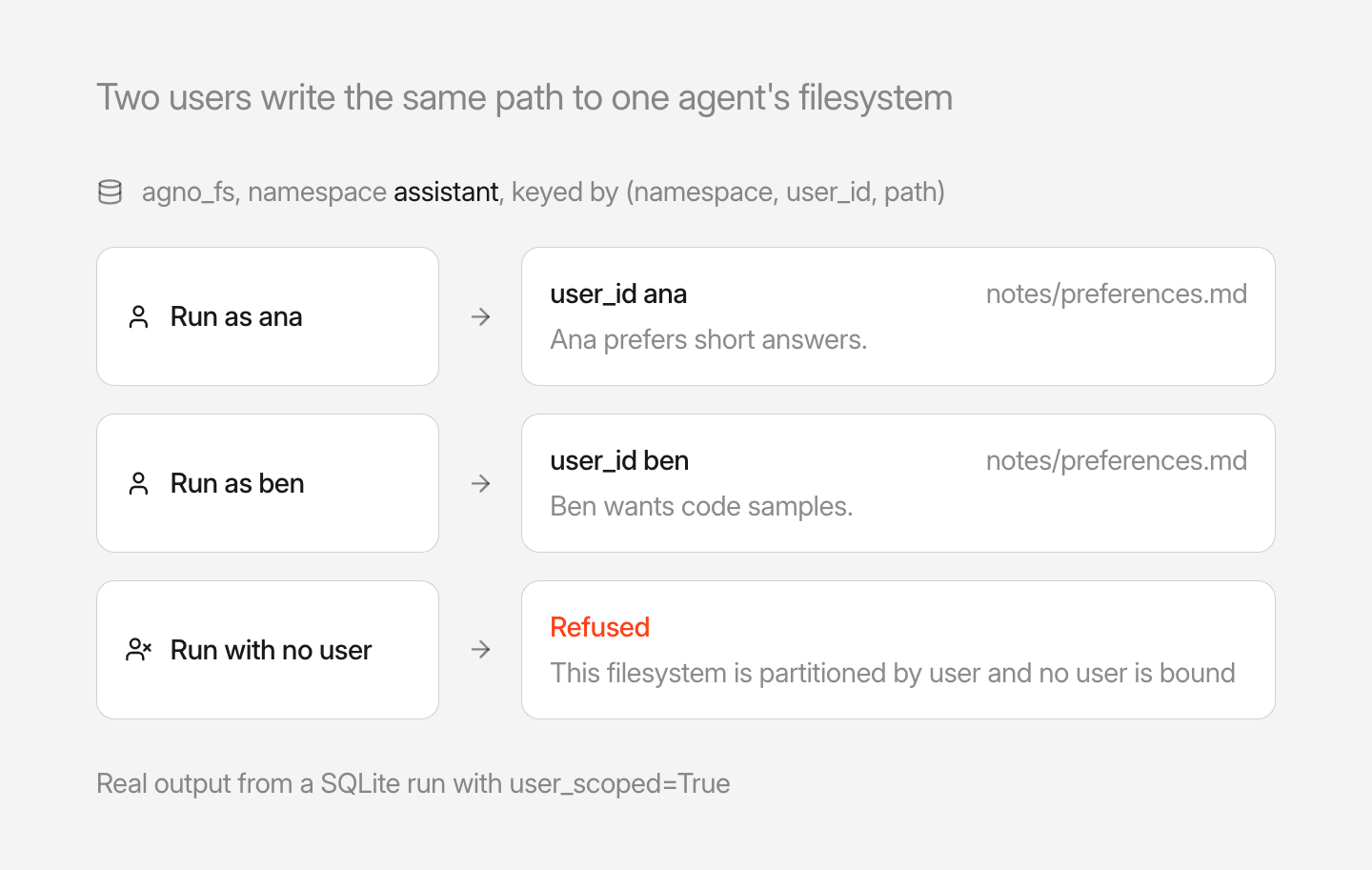
A store that every user should share, like a team handbook, sets user_scoped=False, and AgentOS leaves that choice alone.
Browse files over HTTP
AgentOS serves the files on four read routes: GET /filesystem/files lists files across agents, /filesystem/entries browses one directory, /filesystem/content returns a file, and /filesystem/search matches content. Pass agent_id or namespace to pick a store. Under user isolation a caller sees their own partition, and an admin sees every user's.
Upgrade an existing agno_fs table
Apps that already use DbFileSystem hit SchemaOutdatedError on first use, because the old table has no user_id column. Stop the app, back up the database, and run the script for your database once:
python libs/agno/migrations/migrate_filesystem_postgres.py   # PostgreSQL
python libs/agno/migrations/migrate_filesystem_sqlite.py     # SQLite
Edit the connection in the script first, or call DbFileSystem(db=db).upgrade_schema() from code. MigrationManager does not run this step. Existing rows keep their namespace and land in the shared partition. Running the upgrade on a table that is already current changes nothing.
See the cookbook and the upgrade notes, and learn more about isolating or sharing files in the documentation.
Frequently asked questions
Pass filesystem=True and a db to the Agent. The agent gets file tools such as read_file, write_file and search_content, and its files live in the agno_fs table of that database, so they survive across sessions and runs.
Not for user-scoped filesystems when JWT authorization and user_isolation=True are enabled. Filesystems explicitly configured with user_scoped=False remain shared.
The agno_fs table is now keyed by (namespace, user_id, path), and Agno refuses a table with the older (namespace, path) key. Stop the app and run migrate_filesystem_postgres.py or migrate_filesystem_sqlite.py from libs/agno/migrations once. Existing rows move to the shared partition.
AgentOS serves GET /filesystem/files, /filesystem/entries, /filesystem/content and /filesystem/search to list, browse, read and search the files of its agents.
Shipped around the same time
October 1, 2026
Changelog
v3.1.0MCPConfig now publishes only the tools you list


Ashpreet Bedi, Kaustubh Shukla, and 2 others
1 min read
October 1, 2026
Changelog
v3.1.0AIMLAPITools gives agents image, video, speech and transcription


Hugo, Stan, and 2 others
1 min read
October 1, 2026
Changelog
v3.1.0GPT-6 models now count as native reasoning models


Ray, Yash Pratap Solanky
1 min read